
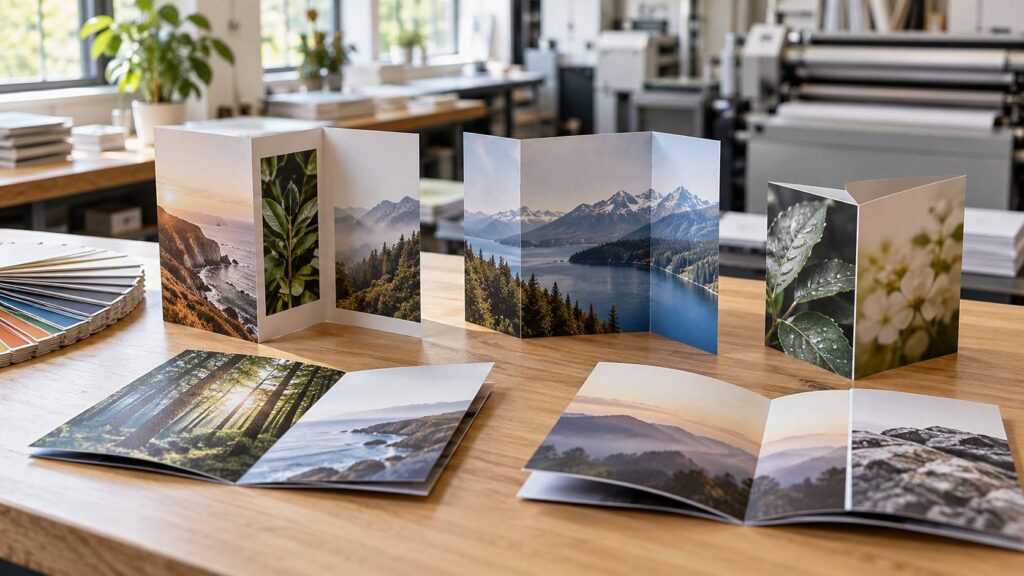
A good brochure does a lot of quiet work. It sits on a counter, rides home in a bag, and gets passed to a business partner. It answers questions when you aren’t there to answer them.
A weak brochure does the opposite. It gets a quick glance and lands in the recycling bin.
Atlantic Printing and Design has designed and printed brochures for local businesses since 1989. Here’s what we’ve learned about making one that people actually read.
Why Brochures Still Earn Their Place
People scroll past hundreds of ads every day. A printed brochure stays in their hands. They can read it at their own pace and keep it for later.
Brochures also build trust. A well-designed, well-printed piece shows that you take your business seriously. That matters for contractors, medical offices, real estate agents, and nonprofits. It matters most when a customer is comparing you with a competitor.
Start With One Clear Goal
Before anyone opens a design file, decide what the brochure needs to do. Should it introduce your company? Sell one service? Support a sales call or a trade show booth?
A brochure that tries to do everything usually does nothing well. Pick one main goal. Then choose the single action you want readers to take. That might be calling your office, visiting your website, or booking an appointment.
Your goal shapes every other choice. It decides the fold, the amount of copy, and even the paper.
Pick the Right Fold for Your Content
The fold controls how readers move through your brochure. Each style reveals information in a different order.
Bi-Fold
A bi-fold is one sheet folded in half, creating four panels. It feels like a small booklet. This style works well for price sheets, menus, and company overviews with large photos.
Tri-Fold
The tri-fold is the style most people picture. One sheet folds into three panels and fits neatly in a rack or envelope. It suits service businesses with a few key points to cover.
Z-Fold and Gate Fold
A z-fold opens like an accordion, which makes it great for step-by-step information. A gate fold has two panels that open toward the center, like a pair of doors. It creates a bold reveal for product launches and premium services.
Not sure which fold fits your content? Stop by, and we can walk you through the options in person. Our bindery and finishing team handles the folding in-house.
Design Choices That Get Brochures Read
Make the Cover Do the Selling
The cover decides if the brochure gets opened at all. Use one strong image and a short headline that speaks to your reader’s problem. Skip the logo-only cover. Your logo matters, but it doesn’t give anyone a reason to look inside.
Write Less Than You Think You Need
Short paragraphs and clear subheadings make a brochure easy to skim. Most readers scan first and read second. Give each panel one job. Then cut anything that doesn’t support your main goal.
Use Real Photos When You Can
Photos of your team, your work, or your storefront build more trust than generic stock images. They also make your business easier to remember. Just make sure the files are high resolution. Photos pulled from a website often print blurry.
Keep Your Branding Consistent
Your brochure should match your business cards, signs, and website. Use the same colors, fonts, and logo files every time. Consistency makes a business look established and easier to recognize. Our color-matching service keeps your brand colors accurate from one print run to the next.
Paper, Finishes, and Printing Methods
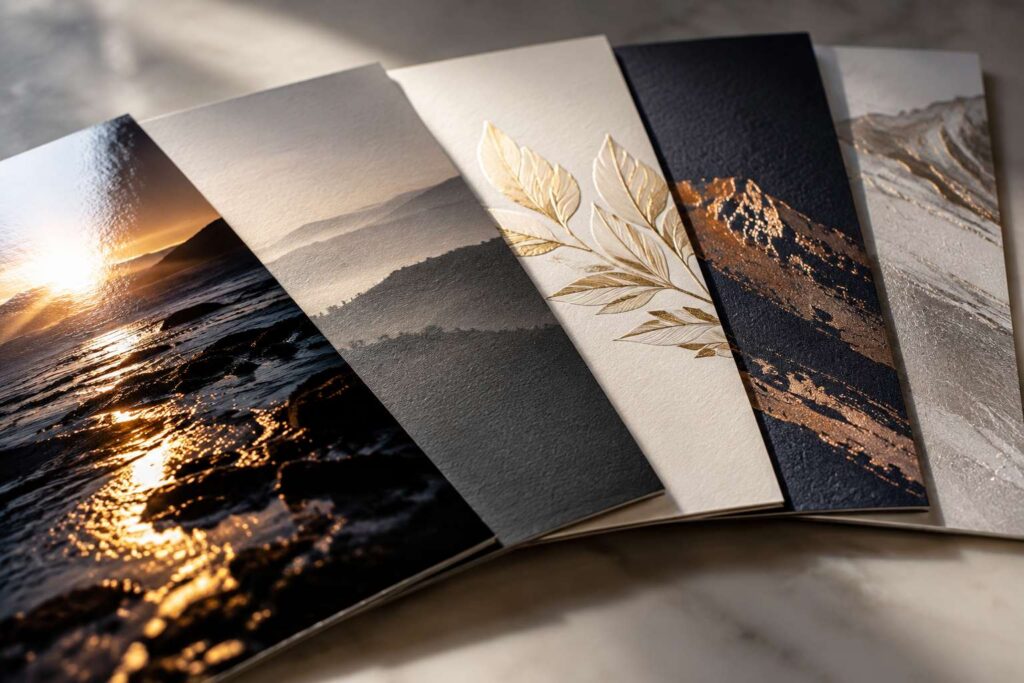
Paper changes how a brochure feels in someone’s hand. A heavier stock feels sturdy and premium. A lighter stock folds cleanly and costs less to mail. Gloss paper makes photos pop. Matte paper is easier to read and easy to write on.
Finishes add another layer of polish. UV coating adds shine and protection. Lamination helps brochures hold up in waiting rooms and on busy sales counters. For a true standout piece, embossing or foil stamping adds texture and metallic detail.
The printing method matters too. Digital printing is best for short runs and fast turnarounds. It also makes it easy to update details between orders. Offset printing costs less per piece on large quantities. It also keeps color consistent across thousands of copies. Our digital and offset printing page explains the difference in more detail.
Common Brochure Mistakes to Avoid
We see the same problems come through our doors again and again. Most are easy to fix before printing.
- Too much text crammed onto every panel
- Low-resolution photos that print blurry
- Contact information that is missing or hard to find
- Artwork set up in RGB color instead of CMYK
- Text placed too close to a fold or trim edge
- No clear next step for the reader
A quick note on color modes. RGB is the color system screens use. CMYK is the four-ink system printers use. Files left in RGB can print duller or with shifted colors. Your logo should also be a vector file, which stays sharp at any size.
Get Your Brochure Into the Right Hands
A great brochure only works if people see it. Keep a stack at your front desk and in your work vehicles. Bring them to networking events and chamber meetings. Leave one behind after every estimate or sales call. At trade shows, pair them with a banner or booth display so your whole setup looks consistent.
You can also mail brochures straight to customers. Our direct mail team handles addressing, mail merging, and postage. Want to reach a whole neighborhood without a mailing list? Ask about Every Door Direct Mail, also called EDDM. It delivers your piece to every address on the mail routes you choose.
Why Work With a Local Brochure Designer
Online design tools and print sites make brochures look simple. The trouble shows up later. Colors print differently than they looked on screen. Text runs into the fold. Nobody catches the mistake until the box arrives.
Working with a local team is different. You talk with a real designer who asks about your customers and goals. You review a proof before anything prints. If something needs to change, you can call or stop in.
Our in-house graphic designers are university and college trained. They can build a brochure from scratch or polish a draft you already started. Then our print and bindery teams handle printing, folding, and finishing under one roof.
Start Your Brochure Project
Businesses across Monmouth and Ocean County trust us with their printed marketing. Visit us in Toms River, West Creek, or Ocean Township to see paper samples and talk through your ideas. You can also send us your project details, and a member of our team will follow up.